How to give ratings for skills to learners via report?
To provide report to learners from Admin or Instructor, learner should be enrolled in at least one course.
1. Log in as Instructor: Instructor can access report page from two ways: i) Batch page and ii) Courses page
Via Batch page:
a. Click on batch page and then click "View details" option to view learners details in the particular batch.
b. Then click on action icon to open learners details page:
c. Now, click on Reports Details option to provide skills to learner:
d. Select course and date. Then continue providing stars rating for all the available skills.
e. Average rating will be generated automatically based on the stars provide to the skills. It calculates in the below manner:
Average= Total Stars achieved/Total number of Skills
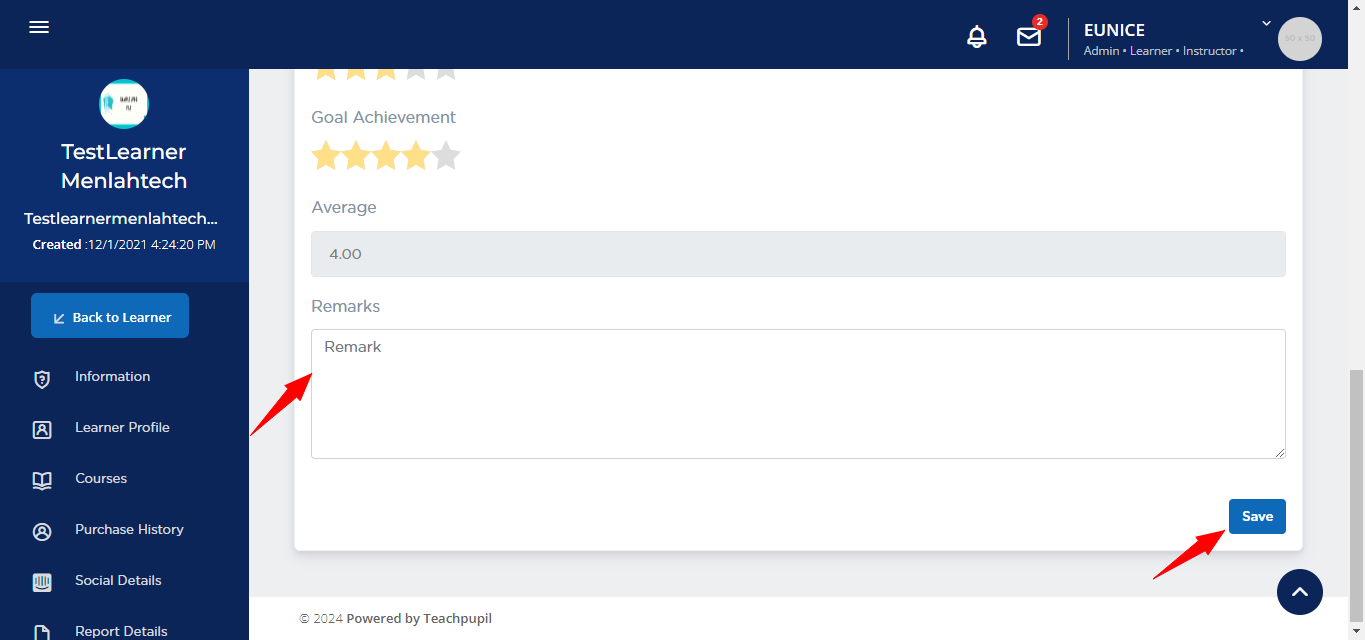
f. Now, add remarks for learner through this field and click on Save button.
Another way to navigate to reports page is via Course page:
a. We can navigate to learners details page via course page, by clicking on learners icon:
b. Then learners details page will be opened. Now, click on reports icon.
c. It will show the report page:
2. Log in as Admin: Admins can access report page from three ways: i) Batch page and ii) Courses page iii) Learners page under Users section.
To access via batch page and course page follow the same steps as provided above for the Instructors.
Let's look at the steps to access report page from 3rd option:
a. Go to Learners page: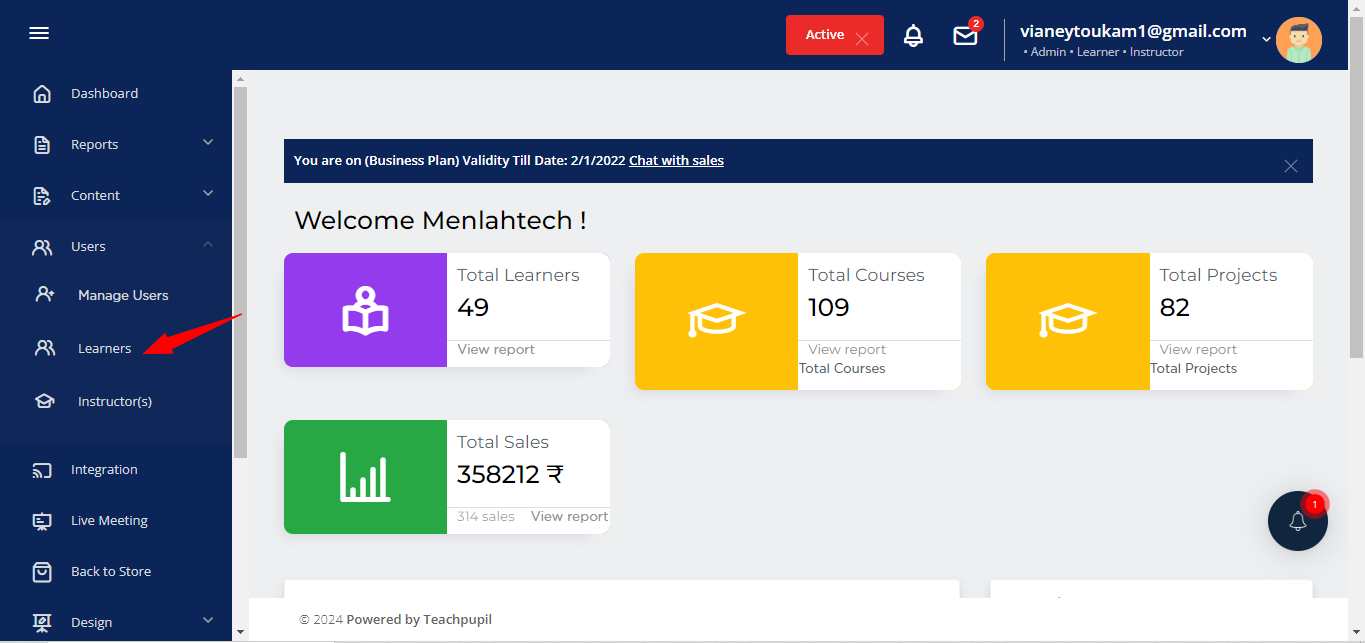
b. Click on the Action icon of the learners to whom you want to provide the report:
c. Now, click on Report details option:
d. It will show the report page, click on enrollment number if you want to update the enrollment number of learner else proceed to next field.
e. Select date and course in which learner is enrolled. Then, provide stars rating for the available skills.
f. Then, average rating will be generated automatically based on the stars provide to the skills. It calculates in the below manner:
Average= Total Stars achieved/Total number of Skills
Related Articles
How learners can view theirs skills rating report provided by Instructors?
1. Log in as a learner and click on Report option from the left side menu. 3. The last report provided by Instructor will be visible on Report Details page.How to view quiz report of learners?
1. Go to learners page of the course and click on Complete report. 2. Now, in exam section click on View Details option. 3. It will display complete report of the quiz.How to view and download your course sales report ?
This article determines how to view & download your free & paid course report. The course Report gives you the details of all the learners who have enrolled in your courses (both free & paid) in a given period. View & Download Course Sales Report Go ...How to approve Ratings and Reviews within your platform?
The article describes how to view and approve the pending reviews and check average ratings. Once the course is set up and published, every learner who signed up could rate review them. However they would not be visible publicly unless approved by ...How to enroll learners into the course
However, if you manually want to assign any of the courses to any particular user or multiple users, the process is elaborated below. Visit your Dashboard, go to the "Courses", then go to the course you want to select. Just below your preferred ...